Google AI Mode: what it is and how to use it
How to open it, what you can ask and attach, and which Gemini model answers.
Home › News › Google color picker
Google's built-in picker converts any color between five formats. For sampling colors from websites and images we tried Chrome's own eyedropper and two free tools.
Type "color picker" into Google and a working tool appears above the results, with a color square, a hue slider and the code for your color in five formats. We tested it on Google's own blue, #1a73e8, and the conversion worked. What it can't do is pick up a color from a web page or a photo, so further down we tried two tools that can.
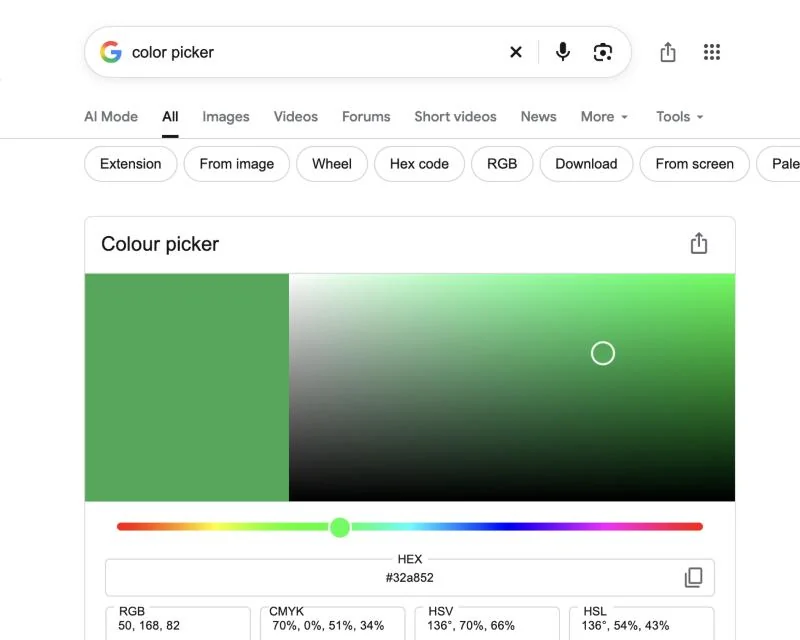
Above the tool, Google suggested Extension, From image, From screen, Hex code and Wheel as follow-up searches. Most of those are things this tool can't do.
The most useful trick is typing into the fields. Paste a code into HEX and the other four update at once. We entered #1a73e8, a blue used across Google's own products:
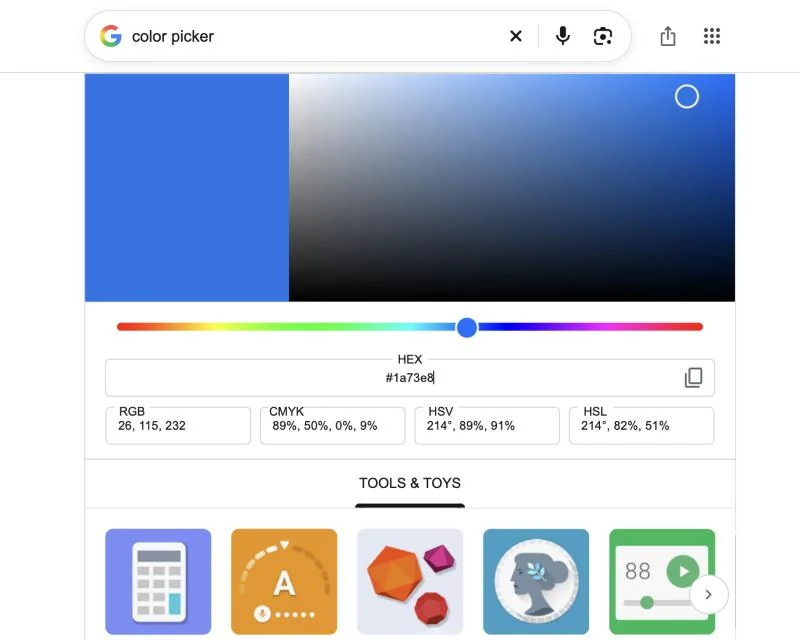
| Format | #1a73e8 becomes | Where you'd use it |
|---|---|---|
| HEX | #1a73e8 | CSS, web design tools, AI image prompts |
| RGB | 26, 115, 232 | Screens, apps, most design software |
| CMYK | 89%, 50%, 0%, 9% | A starting point for print; your printer's color profile will adjust it |
| HSV | 214°, 89%, 91% | Photo editors and color wheels |
| HSL | 214°, 82%, 51% | CSS, when you want lighter or darker versions of one color |
Chrome has its own eyedropper, tucked into the developer tools. Right-click the page and choose Inspect. In the Styles pane, click any small color square next to a CSS color value. The DevTools color picker opens, and its eyedropper icon lets you click anywhere on the page to sample a color. It works, but it's built for developers: several clicks every time, and the color lands in the page's code until you copy it out. The same developer tools can also save a whole page as one image, which we used in our guide to taking a screenshot on a Chromebook.
An extension saves you the trip into DevTools. The free color picker extension for Chrome from colorspicker.net puts an eyedropper button in the toolbar. Click it, click a spot on the page, and the HEX code is copied; earlier picks stay in a history list. There\'s also an eyedropper add-on for Edge.
For a photo, a screenshot or a logo file, use an online color picker from image. On colorspicker.net you drop the file on the page, it builds a palette of the main colors automatically, and you can click any pixel to read its exact value.
We tested the palette with one of our own images, where we knew the answer: the orange stripe is #d9481a in our stylesheet. The palette's orange swatch came back as #DA4B1B.
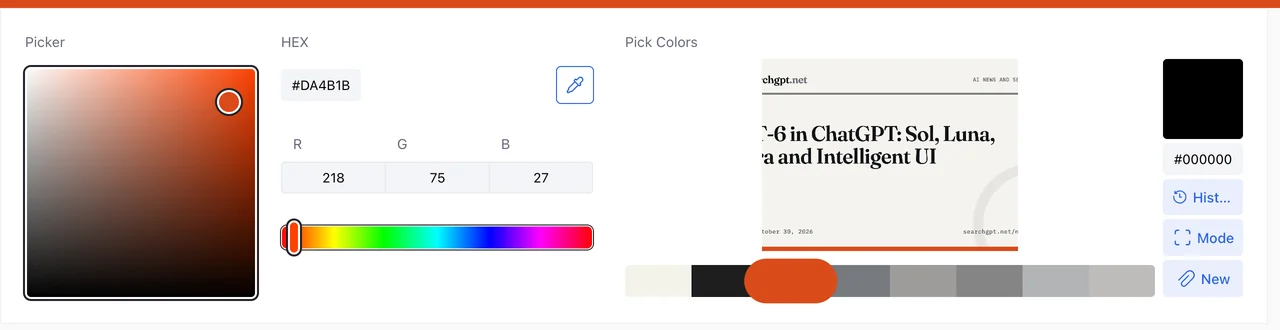
That's 1 point off in red, 3 in green and 1 in blue. Our guess is that the swatch averages a patch of similar pixels instead of reading a single one. Nobody would notice on a mood board, but if you're matching a brand color, click directly on the color in the image and check the code it gives you.
colorspicker.net has a page for every HEX code. Our blue has its own #1a73e8 color page, which gives royalblue as the nearest named color and lists the code in eight formats, including XYZ, LAB and LCH, which Google's tool doesn't show. It also shows shades and tints in 10% steps, six harmonies (complementary, split-complementary, triadic, analogous, monochromatic and tetradic) and a button to turn any of them into a CSS gradient.
| You want to | Use |
|---|---|
| Convert a code between HEX, RGB, CMYK, HSV and HSL | Google's color picker |
| Grab a color from a site once | Chrome DevTools eyedropper |
| Grab colors from sites regularly | A color picker extension |
| Get the colors out of a photo or screenshot | An image color picker |
| Find shades and matching colors | A color page with shades and harmonies |
In an image prompt, give the HEX code instead of "dark blue" if you care about the exact shade. And if you ask Google AI Mode or a chatbot for a palette, paste its codes into Google's picker to see the colors before you use them.
Yes. Search Google for "color picker" and a tool appears above the results. It shows any color you choose in HEX, RGB, CMYK, HSV and HSL, and you can type a code into any field to convert it.
No. It has no eyedropper and no image upload. To sample a color from a site, use the eyedropper in Chrome DevTools or a color picker extension. For an image, use an online image color picker.
Yes, in the developer tools. Right-click a page, choose Inspect, then click a color square in the Styles pane. The color picker that opens has an eyedropper you can click anywhere on the page.
Point a color picker extension at it and click, or use the Chrome DevTools eyedropper. Both give you the HEX code, which you can paste into Google's color picker to see it in other formats.
Automatic palettes probably blend groups of similar pixels into one swatch, so the code can be a few points off. Click a single pixel when you need an exact match.